GPUs ranking
Best GPUs for 1440p Gaming
These cards are ranked for high-refresh 1440p gaming first. We cared about raster performance, ray-tracing usefulness, VRAM headroom, efficiency, and whether the street price still makes sense after power-supply and case constraints.
Updated 2026-07-27
Scores are editorial estimates based on public product data and the published category weights; they are not lab measurements.
Quick picks
Jump straight to the right product for your situation.
Value picks
Premium picks
Top pick
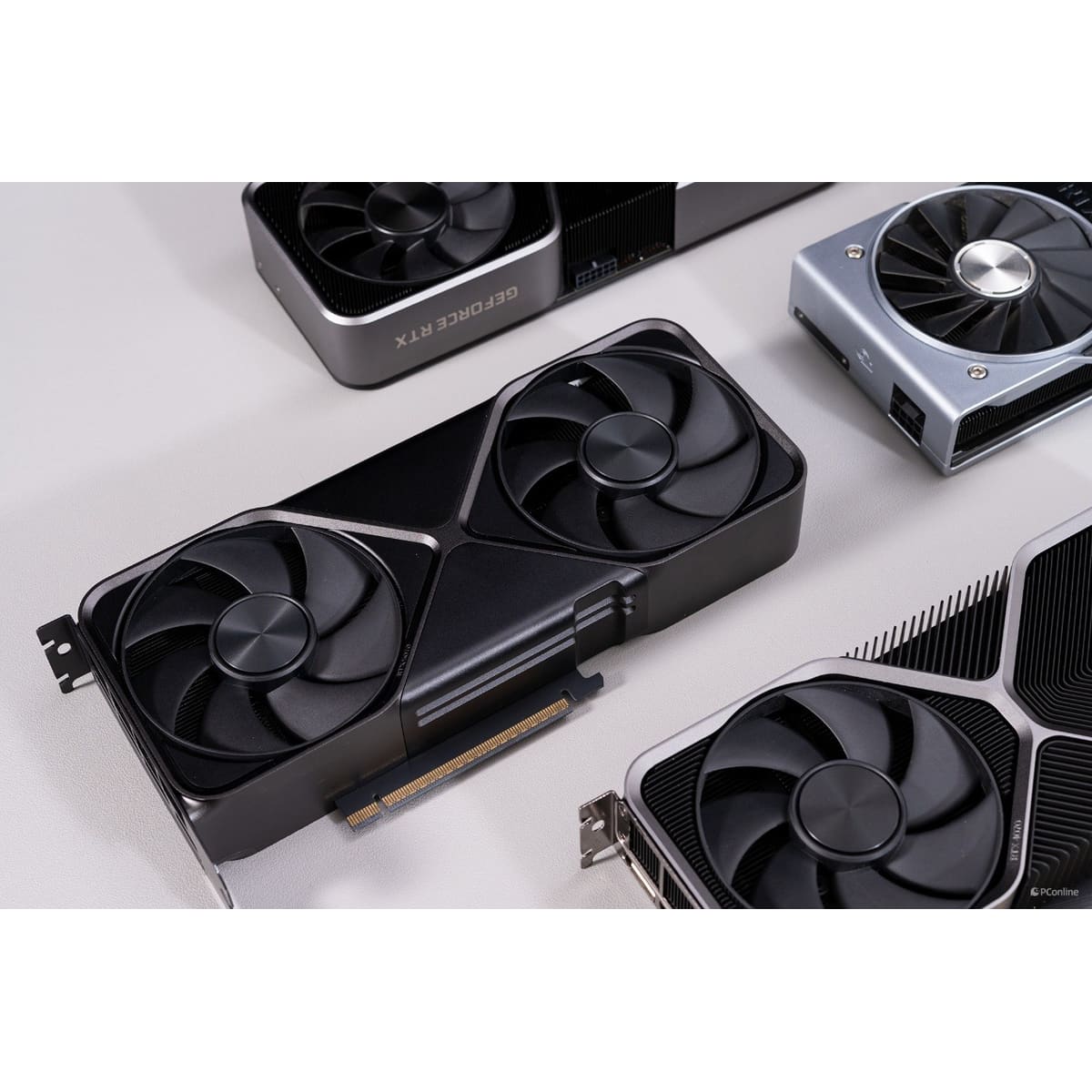
GeForce RTX 5070
GeForce RTX 5070 is best suited to 1440p high refresh and efficient gaming PCs. Compare alternatives if this documented drawback would undermine that fit: Driver maturity varies by title and launch window.
- 1Editorial 8.5 / 10
GeForce RTX 5070
GeForce RTX 5070 is best suited to 1440p high refresh and efficient gaming PCs. Compare alternatives if this documented drawback would undermine that fit: Driver maturity varies by title and launch window.
Why it ranks here
GeForce RTX 5070 makes the cut because it delivers a strong mix of 1440p high refresh and efficient gaming PCs at about $467, with enough practical headroom to justify the upgrade over cheaper cards.
Buyer note
Skip it if driver maturity varies by title and launch window. Check case clearance, PSU headroom, and current street pricing before you commit.
Gaming 1440p
8.8
Gaming 4K
7.9
Ray Tracing
8.7
- 2Editorial 8.5 / 10
Radeon RX 9070
Radeon RX 9070 is best suited to efficient 1440p and 16GB value builds. Compare alternatives if this documented drawback would undermine that fit: Street pricing swings hard around new-generation launches.
Why it ranks here
Radeon RX 9070 makes the cut because it delivers a strong mix of efficient 1440p and 16GB value builds at about $467, with enough practical headroom to justify the upgrade over cheaper cards.
Buyer note
Skip it if street pricing swings hard around new-generation launches. Check case clearance, PSU headroom, and current street pricing before you commit.
Gaming 1440p
8.7
Gaming 4K
7.9
Ray Tracing
8
- 3Editorial 8.5 / 10
GeForce RTX 4070 Super
GeForce RTX 4070 Super is best suited to 1440p DLSS and efficient midrange. Compare alternatives if this documented drawback would undermine that fit: Ray tracing still trails higher-tier cards in demanding titles.
Why it ranks here
GeForce RTX 4070 Super makes the cut because it delivers a strong mix of 1440p DLSS and efficient midrange at about $529, with enough practical headroom to justify the upgrade over cheaper cards.
Buyer note
Skip it if ray tracing still trails higher-tier cards in demanding titles. Check case clearance, PSU headroom, and current street pricing before you commit.
Gaming 1440p
8.7
Gaming 4K
7.8
Ray Tracing
8.6
- Editorial 8.14
Radeon RX 7800 XT
Radeon RX 7800 XT is best suited to 1440p value and 16GB VRAM. Compare alternatives if this documented drawback would undermine that fit: Ray tracing still trails higher-tier cards in demanding titles.
Why it ranks here
Radeon RX 7800 XT makes the cut because it delivers a strong mix of 1440p value and 16GB VRAM at about $429, with enough practical headroom to justify the upgrade over cheaper cards.
Buyer note
Skip it if ray tracing still trails higher-tier cards in demanding titles. Check case clearance, PSU headroom, and current street pricing before you commit.
- Editorial 8.65
Radeon RX 9070 XT
Radeon RX 9070 XT is best suited to 1440p ultra and value 4K. Compare alternatives if this documented drawback would undermine that fit: Ray tracing still trails higher-tier cards in demanding titles.
Why it ranks here
Radeon RX 9070 XT makes the cut because it delivers a strong mix of 1440p ultra and value 4K at about $509, with enough practical headroom to justify the upgrade over cheaper cards.
Buyer note
Skip it if ray tracing still trails higher-tier cards in demanding titles. Check case clearance, PSU headroom, and current street pricing before you commit.
- Editorial 8.26
Radeon RX 7900 GRE
Choose Radeon RX 7900 GRE for an RDNA 3 build that prioritizes 16GB memory and 1440p-to-4K gaming. Confirm the specific partner card's physical size, outputs, PSU guidance, and price before buying.
Why it ranks here
Radeon RX 7900 GRE makes the cut because it delivers a strong mix of 1440p ultra and value high-refresh gaming at about $479, with enough practical headroom to justify the upgrade over cheaper cards.
Buyer note
Skip it if street pricing swings hard around new-generation launches. Check case clearance, PSU headroom, and current street pricing before you commit.
- Editorial 7.87
Intel Arc B580
Arc B580 belongs on a value shortlist when its 12GB capacity and measured performance beat similarly priced GeForce or Radeon options in the games you play. Choose another platform when a professional application requires CUDA, a specific vendor feature, or proven support that matters more than the purchase price.
Why it ranks here
Intel Arc B580 makes the cut because it delivers a strong mix of value 1440p and budget midrange builds at about $212, with enough practical headroom to justify the upgrade over cheaper cards.
Buyer note
Skip it if board size and power connectors can complicate small cases. Check case clearance, PSU headroom, and current street pricing before you commit.
Buying guide
Who this ranking is for
This list is for buyers who want a practical shortlist, not a spreadsheet of every release. Start here if you are choosing among mainstream options and care about 1440p high refresh and efficient gaming PCs more than novelty. If you already know you need a specialist tool, use the related guides and comparisons after you leave this page.
How to read the order
GeForce RTX 5070 leads because it is the safest default for the widest set of buyers on this page. Radeon RX 9070 is the main alternative when its strengths map more cleanly to your routine. Lower placements are not failures; they are better when price, ecosystem, or a specific feature matters more than the overall balance.
Budget and value notes
If you are on a strict budget, prioritize a well-priced 12GB or 16GB card over chasing the newest badge. Spend more only if you want better ray tracing, creator features, or multi-year headroom at high settings. On this shortlist, Intel Arc B580 is the reminder that spending less can still be rational when the expensive option does not fix a problem you actually have.
What changed in this update
Re-centered notes around 1440p practicality, VRAM, efficiency, and when AMD or Intel value undercuts NVIDIA feature premiums. We also tightened each product note so the reason to buy and the reason to skip are explicit, and we refreshed the timing advice around current North America shopping patterns.
How we picked
- 1440p gaming performance is the primary ranking signal, not 4K prestige.
- Ray tracing and upscaling features matter, but only when they improve real game settings.
- VRAM headroom is weighted more heavily for future texture packs and high settings.
- Power draw, cooler size, and recommended PSU requirements affect build practicality.
- Street price and frames-per-dollar matter more than launch MSRP bragging rights.
Budget advice
If you are on a strict budget, prioritize a well-priced 12GB or 16GB card over chasing the newest badge. Spend more only if you want better ray tracing, creator features, or multi-year headroom at high settings.
Buying timing
GPU value changes quickly around new launches and holiday bundles. Buy when the card you already want is discounted and your current GPU is the bottleneck. Wait if the next generation is imminent and your current setup still plays current games acceptably.
Product sources and verification
Ranking order is editorial. The links below support identified product specification fields; unbadged data, current prices, configurations, and regional availability still require a checkout-time check.
- NVIDIA GeForce RTX 5070 family graphics card overview · GeForce RTX 5070 · accessed 2026-07-29
- AMD Radeon RX 9070 product specifications · Radeon RX 9070 · accessed 2026-07-29
- NVIDIA GeForce RTX 4070 family specifications · GeForce RTX 4070 Super · accessed 2026-07-29
- AMD Radeon RX 7800 XT specifications · Radeon RX 7800 XT · accessed 2026-07-29
- AMD Radeon RX 9070 XT product specifications · Radeon RX 9070 XT · accessed 2026-07-29
- AMD Radeon RX 7900 GRE product specifications · Radeon RX 7900 GRE · accessed 2026-07-30
- Intel Arc B580 graphics specifications · Intel Arc B580 · accessed 2026-07-29
FAQ
How much VRAM do I need for 1440p?
12GB is workable today for many titles, while 16GB gives more headroom for high textures, mods, and longer ownership.
Do I need ray tracing for 1440p?
Not necessarily. Many players still get a better experience from higher frame rates and stability than from turning every ray-traced effect on.
Should I upgrade my power supply first?
Yes if your current PSU is weak, aging, or below the card recommendation. A strong GPU on a weak power supply is a bad upgrade plan.
Related comparisons
GeForce RTX 5070 vs Radeon RX 9070: Which Should You Buy?
Compare GeForce RTX 5070 and Radeon RX 9070 by 1440p performance, 4K headroom, VRAM, ray tracing, power draw, cooler size, driver support, and street.
GeForce RTX 5080 vs Radeon RX 9070 XT: Which Should You Buy?
Compare GeForce RTX 5080 and Radeon RX 9070 XT by 1440p performance, 4K headroom, VRAM, ray tracing, power draw, cooler size, driver support, and street.