Laptops ranking
Best Laptops for Creators
Best Laptops for Creators narrows 6 options into a use-case shortlist led by MacBook Pro 16 M4 Pro, MacBook Pro 14-inch M4, and ASUS Zenbook S 16. The order balances portable performance, battery life, and display quality, current editorial price references, and the drawbacks buyers are most likely to notice after the return window.
Updated 2026-08-23
Scores are editorial estimates based on public product data and the published category weights; they are not lab measurements.
Quick picks
Jump straight to the right product for your situation.
Best overall
Best value
Premium or specialist
Top pick
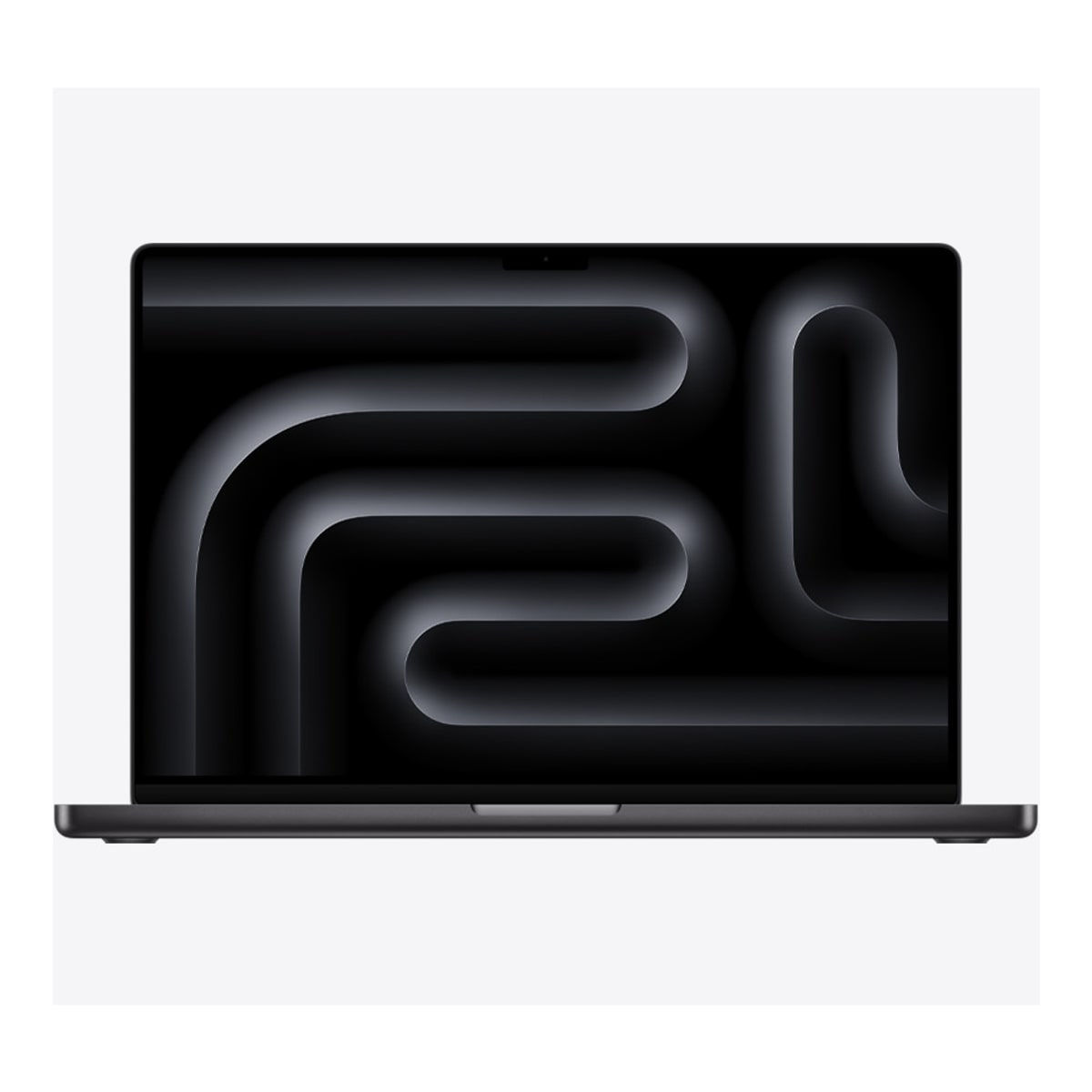
MacBook Pro 16 M4 Pro
Choose the 16-inch M4 Pro MacBook Pro when its large XDR display, long Apple-rated battery life and three Thunderbolt 5 ports serve a real production workflow. Skip it when a 2.14kg laptop or purchase-time-only memory and storage choices do not fit the way you work.
- 1Editorial 8.7 / 10
MacBook Pro 16 M4 Pro
Choose the 16-inch M4 Pro MacBook Pro when its large XDR display, long Apple-rated battery life and three Thunderbolt 5 ports serve a real production workflow. Skip it when a 2.14kg laptop or purchase-time-only memory and storage choices do not fit the way you work.
Why it ranks here
MacBook Pro 16 M4 Pro earns a place for video editing and pro development. At $2299, its clearest advantage is 16.2-inch Liquid Retina XDR display supports P3, 1,000,000:1 contrast and ProMotion up to 120Hz. 19 published specification fields have source coverage; unbadged fields remain reference data.
Buyer note
The main reason to hesitate is the documented drawback: The M4 Pro model weighs 2.14kg before its 140W adapter and cable. Confirm the exact configuration, cited-field badges, retailer return window, and current price before treating its position as a purchase instruction.
Performance
9.6
Battery
8.7
Portability
7.4
- 2Editorial 8.9 / 10
MacBook Pro 14-inch M4
MacBook Pro 14-inch M4 is best suited to creators and pro apps. Compare alternatives if this documented drawback would undermine that fit: RAM or storage upgrades are limited on several thin models.
Why it ranks here
MacBook Pro 14-inch M4 earns a place for creators and pro apps. At $1499, its clearest advantage is strong everyday fit for creators. 5 published specification fields have source coverage; unbadged fields remain reference data.
Buyer note
Skip or compare it carefully if expensive upgrades. Buyers should also check warranty terms, retailer return windows, and whether a nearby model offers the same practical result for less.
Performance
9.4
Battery
8.8
Portability
8.5
- 3Editorial 8.3 / 10
ASUS Zenbook S 16
ASUS Zenbook S 16 is best suited to large ultraportable and media creation. Compare alternatives if this documented drawback would undermine that fit: Discrete graphics options raise heat, noise, and price quickly.
Why it ranks here
ASUS Zenbook S 16 earns a place for large ultraportable and media creation. At $1199, its clearest advantage is strong everyday fit for large ultraportable.
Buyer note
The main reason to hesitate is the documented drawback: Discrete graphics options raise heat, noise, and price quickly. Confirm the exact configuration, cited-field badges, retailer return window, and current price before treating its position as a purchase instruction.
Performance
8.5
Battery
8.1
Portability
7.8
- Editorial 8.44
Dell XPS 14
Choose XPS 14 when a refined Windows design, OLED availability, and creator-capable configuration options outweigh price and limited built-in ports. Buyers who prioritize easy memory upgrades, a broader port selection, or better gaming value should compare a business laptop or compact gaming model first.
Why it ranks here
Dell XPS 14 earns a place for premium Windows and OLED options. At $1399, its clearest advantage is strong everyday fit for premium Windows.
Buyer note
The main reason to hesitate is the documented drawback: RAM or storage upgrades are limited on several thin models. Confirm the exact configuration, cited-field badges, retailer return window, and current price before treating its position as a purchase instruction.
- Editorial 85
HP Omen Transcend 14
HP Omen Transcend 14 is best suited to portable gaming and students who game. Compare alternatives if this documented drawback would undermine that fit: Chassis build is practical rather than premium under daily travel abuse.
Why it ranks here
HP Omen Transcend 14 earns a place for portable gaming and students who game. At $1199, its clearest advantage is strong everyday fit for portable gaming.
Buyer note
The main reason to hesitate is the documented drawback: Chassis build is practical rather than premium under daily travel abuse. Confirm the exact configuration, cited-field badges, retailer return window, and current price before treating its position as a purchase instruction.
- Editorial 8.26
Razer Blade 14
Choose the Blade 14 when travel-friendly size and understated construction matter as much as gaming performance. Compare less expensive 14-inch gaming laptops if value leads the decision, and verify the RZ09-0508x CPU, GPU, memory, and display combination before checkout.
Why it ranks here
Razer Blade 14 earns a place for premium portable gaming and design-focused gamers. At $1899, its clearest advantage is strong everyday fit for premium portable gaming.
Buyer note
Skip or compare it carefully if expensive versus similarly specced rivals. Buyers should also check warranty terms, retailer return windows, and whether a nearby model offers the same practical result for less.
Buying guide
Who this ranking is for
Best Laptops for Creators is for shoppers deciding among MacBook Pro 16 M4 Pro, MacBook Pro 14-inch M4, and ASUS Zenbook S 16, not for readers looking for an exhaustive release list. Start by eliminating any product that misses a must-have requirement in portable performance, battery life, and display quality. Then use the product notes to check whether each pick's strongest use case and main drawback match the way you will actually use it.
How to read the order
In Best Laptops for Creators, MacBook Pro 16 M4 Pro leads because its fit for video editing and pro development is broad enough for the search intent. MacBook Pro 14-inch M4 remains the better branch when creators and pro apps is more important. Read the order as a decision tree: move down the list when a lower pick solves your use case with a smaller compromise, not because one score is marginally higher.
Budget and value notes
For Best Laptops for Creators, the listed editorial references span $1199 to $2299. That range is useful for comparing tiers, but it is not live inventory or a sale claim. Re-check the exact model, configuration, warranty, return window, and retailer price. Pay more only when the higher-priced pick removes a drawback you would notice every week.
When to buy or wait
Buy from the Best Laptops for Creators shortlist when the chosen product fixes a current limitation and its checkout price still supports the value case described above. Wait when MacBook Pro 16 M4 Pro is close to launch pricing, a replacement is imminent, or MacBook Pro 14-inch M4 covers the same job for less. Use the linked comparisons to test the final two candidates before committing.
How we picked
- We prioritize portable performance, battery life, display quality, keyboard feel, ports, upgrade limits, and student or business pricing over isolated launch hype or one-off benchmark wins.
- US pricing, return windows, official availability, and discount timing influence the order.
- Every pick needs a clear buyer profile, a clear reason to skip, and at least one useful alternative.
- Older products can rank when discount pricing creates better long-term value than a new but weaker model.
Budget advice
For laptops, start with the cheapest product that avoids your deal-breaking compromise. ASUS Zenbook S 16 anchors the low end of this list, while MacBook Pro 16 M4 Pro shows what spending more can change. Do not pay extra unless the upgrade affects daily ownership, warranty confidence, performance headroom, or comfort.
Buying timing
back-to-school, holiday sales, processor refreshes, open-box discounts are the main moments to re-check pricing. Buy immediately if your current device is unreliable or if a recommended product is already discounted. Wait when the price is close to launch, when the next generation is near, or when an open-box/refurbished option could meet the same need for less.
Product sources and verification
Ranking order is editorial. The links below support identified product specification fields; unbadged data, current prices, configurations, and regional availability still require a checkout-time check.
- Apple MacBook Pro (16-inch, 2024) technical specifications · MacBook Pro 16 M4 Pro · accessed 2026-07-30
- Apple MacBook Pro M4 family launch announcement · MacBook Pro 14-inch M4 · accessed 2026-07-29
FAQ
How should I choose from Best Laptops for Creators?
Start with the product that matches your use case, then use the notes to remove options with trade-offs you would notice every day.
Should I wait for a sale?
Wait if pricing is still near launch level or if back-to-school is close. Buy now if the top pick fixes a real reliability problem.
Do older discounted products still make sense?
Yes, when support, warranty, performance, and battery or comfort expectations are still acceptable for your ownership window.
Related comparisons
ASUS ROG Zephyrus G14 vs Razer Blade 14: Which Should You Buy?
Compare Zephyrus G14 and Razer Blade 14 by exact GPU and memory configuration, display, battery, portability, inputs, and total price.
ASUS Zenbook 14 OLED vs Acer Swift Go 14: Which Should You Buy?
ASUS Zenbook 14 OLED vs Acer Swift Go 14 (SFG14-72): compare performance, battery, display, ports, price, and US/Canada availability.
Framework Laptop 13 vs MacBook Air M3: Which Should You Buy?
Framework Laptop 13 vs MacBook Air 13-inch M3: compare performance, battery, display, ports, price, and US/Canada availability.
Related guides
Are 2-in-1 Laptops Worth It?
Choose between a convertible, detachable, and conventional laptop by keyboard stability, tablet use, ports, weight, battery, accessories, and repairability.
Best Laptop Specs for Programming
Choose a programming laptop's CPU, memory, storage, display, keyboard, ports, and OS for the toolchains, containers, emulators, and workloads you run.
How Much Storage Do You Need in a Laptop?
A laptop storage guide for students, creators, programmers, cloud users, gaming libraries, and long-term ownership.